

Download
Checkout
License
Overview
Baseball SVG – Classic Sports Cut File for Cricut & Silhouette
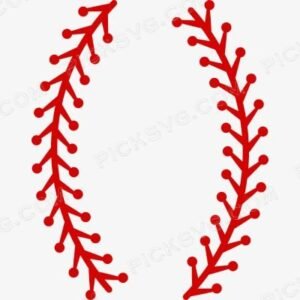
Baseball SVG renders a detailed baseball with classic stitching pattern in a clean, versatile vector format – the foundational cut file for baseball moms, team coaches, and sports crafters making custom dugout bags, team shirts, and player gift sets throughout the spring and summer baseball season. A well-executed baseball graphic with accurate stitch detail serves as essential inventory for any craft shop serving youth leagues, travel teams, and recreational baseball programs, since this single design adapts across an enormous range of team colors, personalization options, and product applications throughout an entire season’s merchandise calendar.
This design’s classic stitching detail gives it dimensional, realistic quality that differentiates it from flatter, less detailed baseball clip art common in discount craft marketplaces. Cut it in team colors HTV for a game-day tee sold at the concession stand, or use the transparent PNG to sublimate a player tumbler or stadium cup that gets used at every practice and game throughout the season. Baseball merchandise demand follows a predictable, strong seasonal pattern from late winter team formation through summer tournament season, giving craft sellers a reliable annual sales window to plan inventory and marketing around.
For Etsy sellers and team merchandise coordinators, this baseball design pairs naturally with team names, player numbers, and coach appreciation messaging for personalized custom orders throughout the season. The straightforward, recognizable baseball silhouette also makes this design efficient for high-volume batch production when teams order matching gear for an entire roster, supporting the kind of bulk fundraiser and team-gift orders that represent significant revenue for craft sellers during baseball season.
Baseball SVG – Machine Compatibility & Cutting Notes
The stitching detail cuts cleanly on a Cricut Explore Air 2 or Cricut Maker 3 with no bridging issues, and scales from a small helmet decal to a full chest graphic without any loss of stitch line definition. Silhouette users on a Silhouette Cameo 4 can load the DXF directly into Silhouette Studio for clean, fast cutting suited to high-volume team order production. The clean vector construction means minimal weed time, which matters significantly when producing dozens of shirts for an entire team roster ahead of opening day.
For sublimation tumbler and stadium cup production, the transparent PNG renders crisp stitch detail at any standard drinkware wrap size.
Included File Formats
Your ZIP download includes 5 formats: SVG for cutting machines, PNG with transparent background for sublimation and PLT printing, EPS for Adobe Illustrator, CorelDraw and Inkscape, DXF for CNC and Silhouette users, and PDF for reference on any device.
Project Ideas for Baseball SVG
Game-day spirit shirts in team colors are the primary application, sold at concession stands and team fundraiser tables throughout baseball season. Stadium cups and tumblers sublimated with this design make excellent season-long fundraiser items that families purchase for daily use at every game. Dugout bags and equipment totes cut in durable HTV give teams coordinated, branded gear for travel and tournament play. Coach appreciation gifts pairing this baseball graphic with a personalized message mark the end of a successful season.
More Baseball & Sports Designs
Find more baseball and sports fan cut files in the Sports Logos SVG collection. Need a custom team name or player number added? Our Custom Vector Design service can personalize it. For questions about your download, contact our support team anytime.
This is an instant digital download – no physical item is shipped. Commercial license included for Etsy and small business use.
Formats & machine compatibility
| Format | Best for | Opens in |
|---|---|---|
| SVG | Cutting vinyl, HTV, cardstock | Cricut Design Space, Silhouette Designer Edition |
| PNG | Sublimation, print-then-cut | Any printer software · 300 DPI, transparent |
| DXF | Silhouette Basic, CNC routing | Silhouette Studio Basic, Fusion, VCarve |
| EPS | Editing, recolouring, resizing | Illustrator, Inkscape, CorelDRAW, Affinity |
| Reference, proofing, print | Any PDF reader or print shop |
- Cricut Maker 3, Maker, Explore, Joy
- Silhouette Cameo 4 & 5, Portrait — use DXF on Basic edition
- Brother ScanNCut SDX & DX
- Laser Glowforge, xTool, diode lasers
How to use these files
STEP 1
Unzip on a computer
Design Space needs unzipped files, so extract the ZIP on a desktop or laptop rather than a phone.
STEP 2
Upload the right format
In Design Space: Upload → Upload Image → select the SVG. On Silhouette Basic, import the DXF instead.
STEP 3
Size, then cut
Size to your blank before cutting. For sublimation, skip the SVG and print the PNG at 300 DPI.
Full walkthrough with screenshots: how to upload an SVG to Cricut Design Space.
License summary
- Personal projects — unlimited
- Sell finished physical items: shirts, tumblers, decals, signs
- Sell on Etsy, at markets, or in your own shop
- Resell, share or redistribute the digital files
- Print-on-demand services without written permission
Reviews
Only logged in customers who have purchased this product may leave a review.
You May Also Like







Reviews
There are no reviews yet.